Enterprise Asset Management
The asset management platform for operations that can't stop.
Teknora EAM brings assets, work orders, preventive maintenance, spare parts and procurement into one system — in Arabic, English and nine more languages, on the database you already run.
- Web and mobile
- Cloud or on-premise
- Oracle · SQL Server · PostgreSQL


Built for real maintenance operations
- 45
- standard reports, ready on day one
- 11
- interface languages with full right-to-left support
- 3
- supported databases: Oracle, SQL Server and PostgreSQL
- Millions
- of work orders handled in a single production deployment
Platform
One system for the whole maintenance lifecycle
Every module shares the same asset record, so a work order, a spare part and a purchase order always point to the same equipment.
Assets & locations
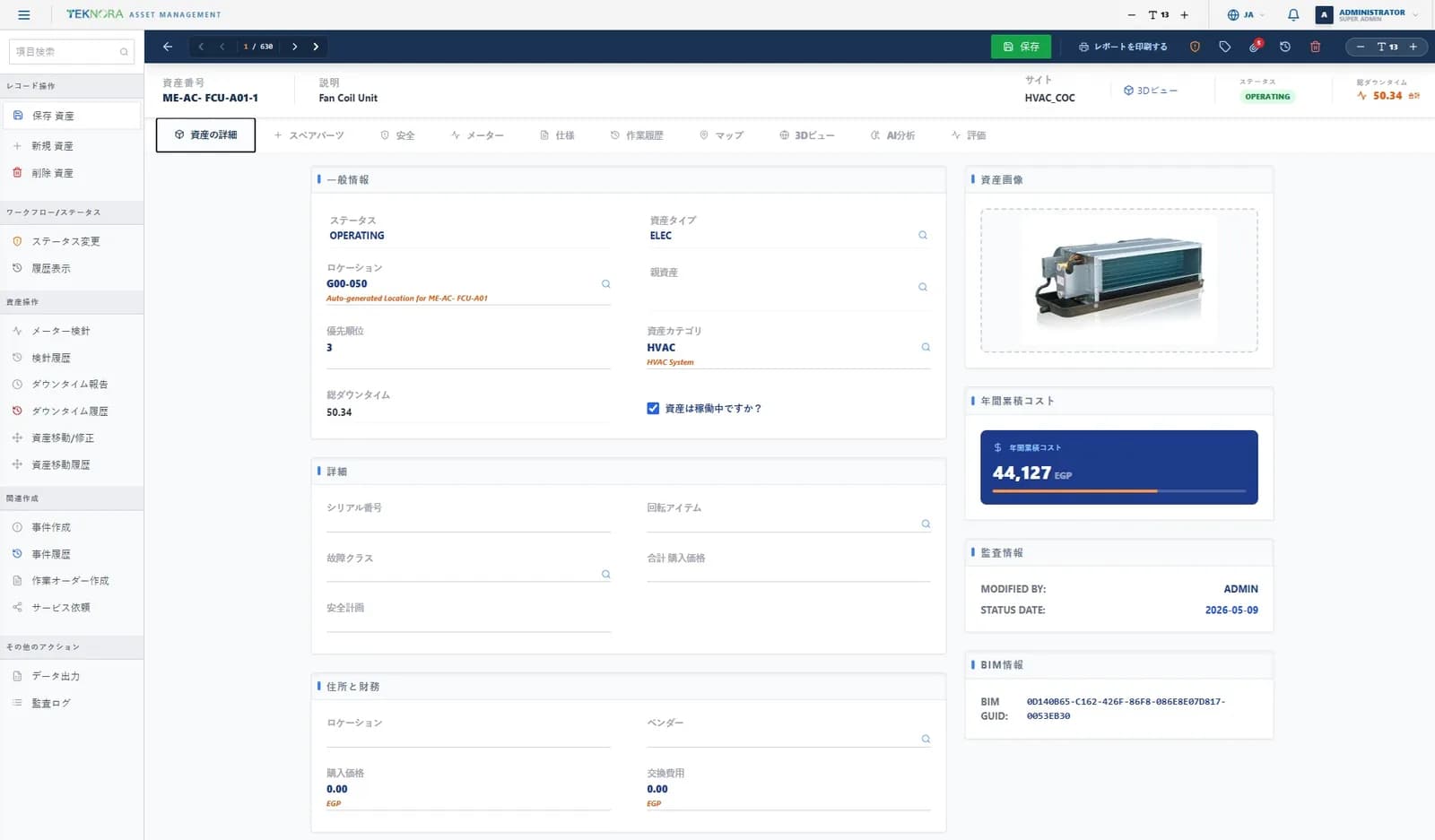
A complete asset hierarchy with specifications, classifications, meters, downtime and full history.
Work orders
Plan, assign and close work with job plans, labor, materials and actual costs on every order.
Preventive maintenance
Time- and meter-based schedules that generate work automatically and track compliance.
Inventory & storerooms
Stock levels, bins, reorder points and issues to work orders across multiple storerooms.
Procurement
Requisitions, quotations, purchase orders and receiving, posted to the general ledger.
Reliability
Failure classes, problem–cause–remedy codes and downtime analysis to find what keeps breaking.
Reports & dashboards
45 standard reports plus interactive dashboards for cost, backlog, compliance and reliability.
Mobile app
Technicians receive, update and close work in the field, paired to the system with a QR code.
Digital twin & BIM
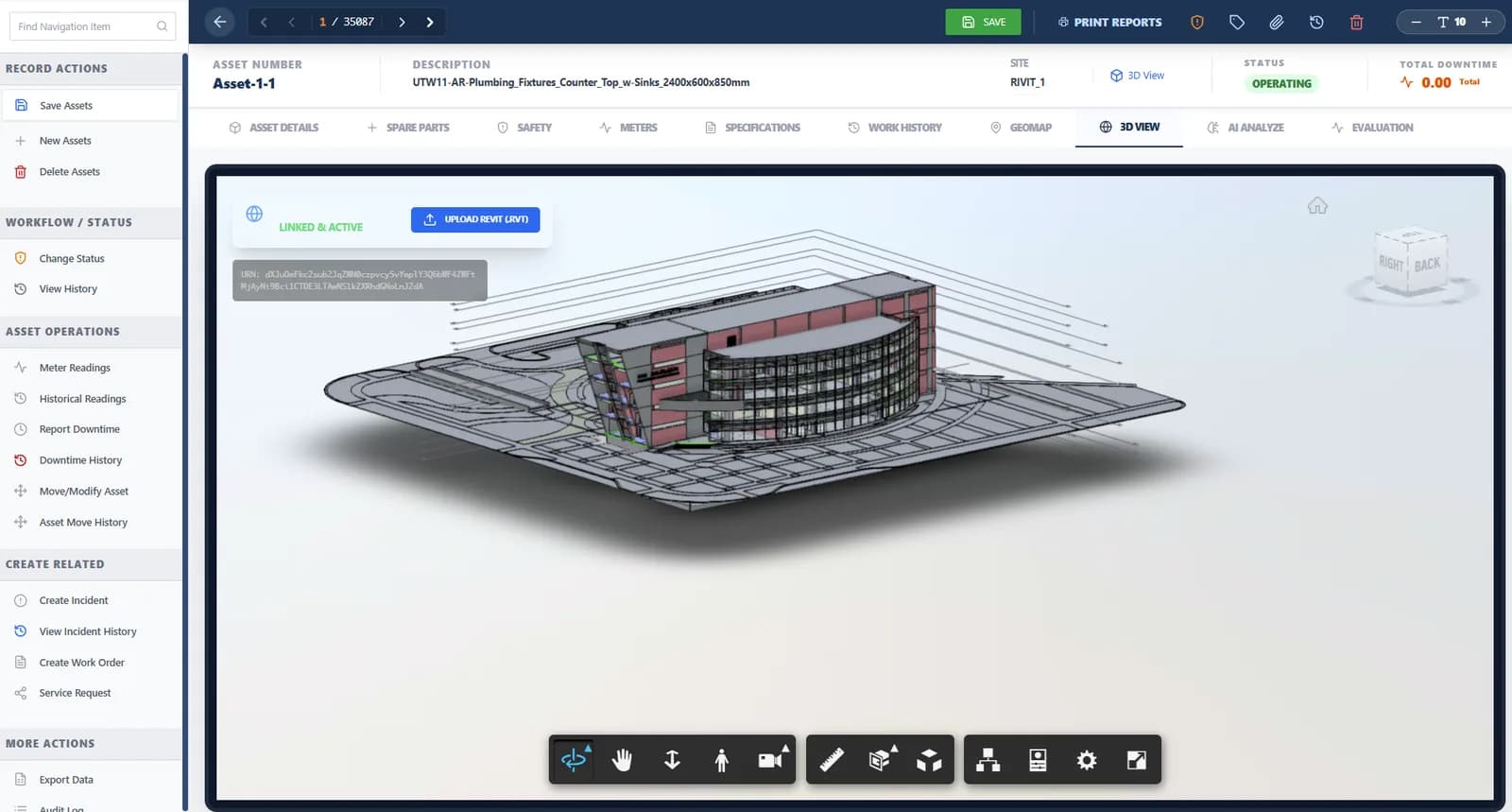
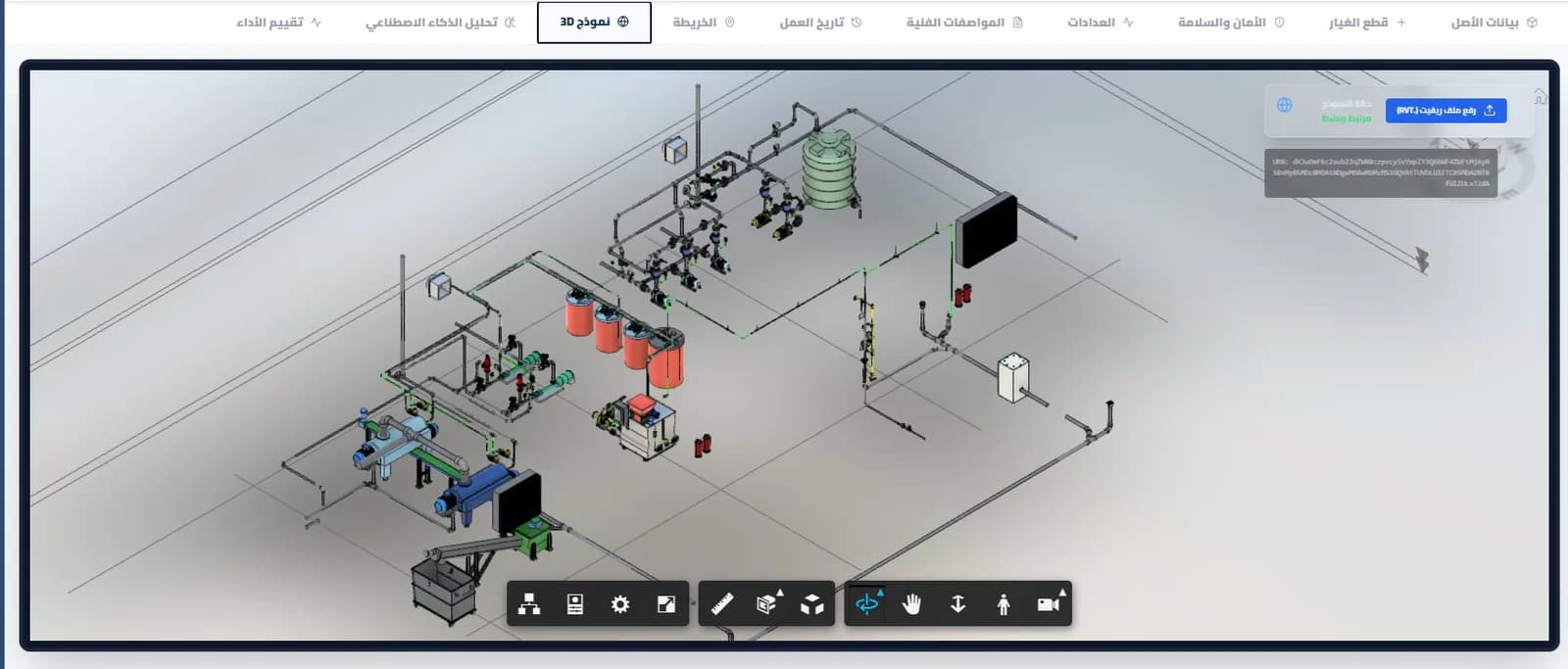
Link assets to Revit models and see them in 3D, right inside the asset record.
AI asset intelligence
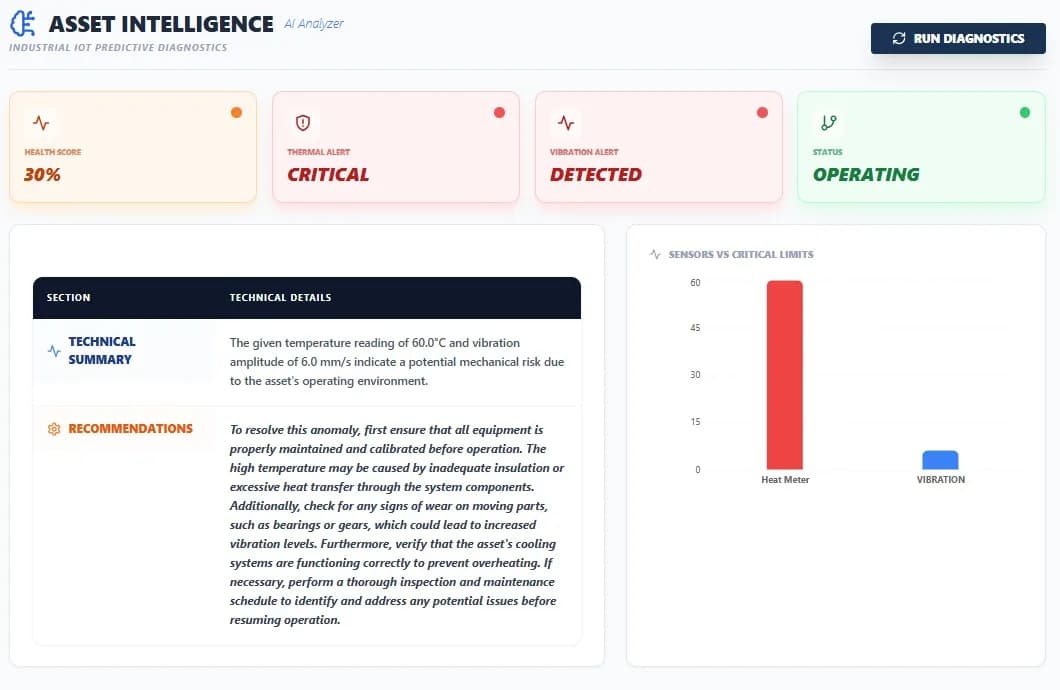
Analyze meter readings and history to flag risks before they become failures.
Notifications
WhatsApp and in-app alerts for approvals, assignments and status changes.
Integration & migration
Connect to ERP systems and bring your history over from IBM Maximo.
How it works
From request to insight
- 1
Request
Anyone can report a problem from the web or the mobile app.
- 2
Plan
Planners attach job plans, materials and crews, then schedule the work.
- 3
Execute
Technicians work from their phones and record time and parts used.
- 4
Close
Labor, material and service costs post to the work order automatically.
- 5
Improve
Reports show where money and downtime go, so the next plan is better.
Digital twin
See the asset, not just its number
Upload a Revit model and Teknora links each element to its asset record. Open the 3D view from the asset, walk the model, then jump back to specifications, work history and spare parts.
- Revit (.rvt) upload and linking
- 3D view inside every asset record
- COBie asset data import
Asset intelligence
Catch failures while they are still warnings
The AI engine reads meter trends and asset history, scores asset health and explains its reasoning in plain language, with recommended actions your team can turn into work orders.
- Health scores and threshold alerts
- Failure trajectory from multi-sensor trends
- Runs on your own model or a private server
Analytics
Answers for the people who sign the budget
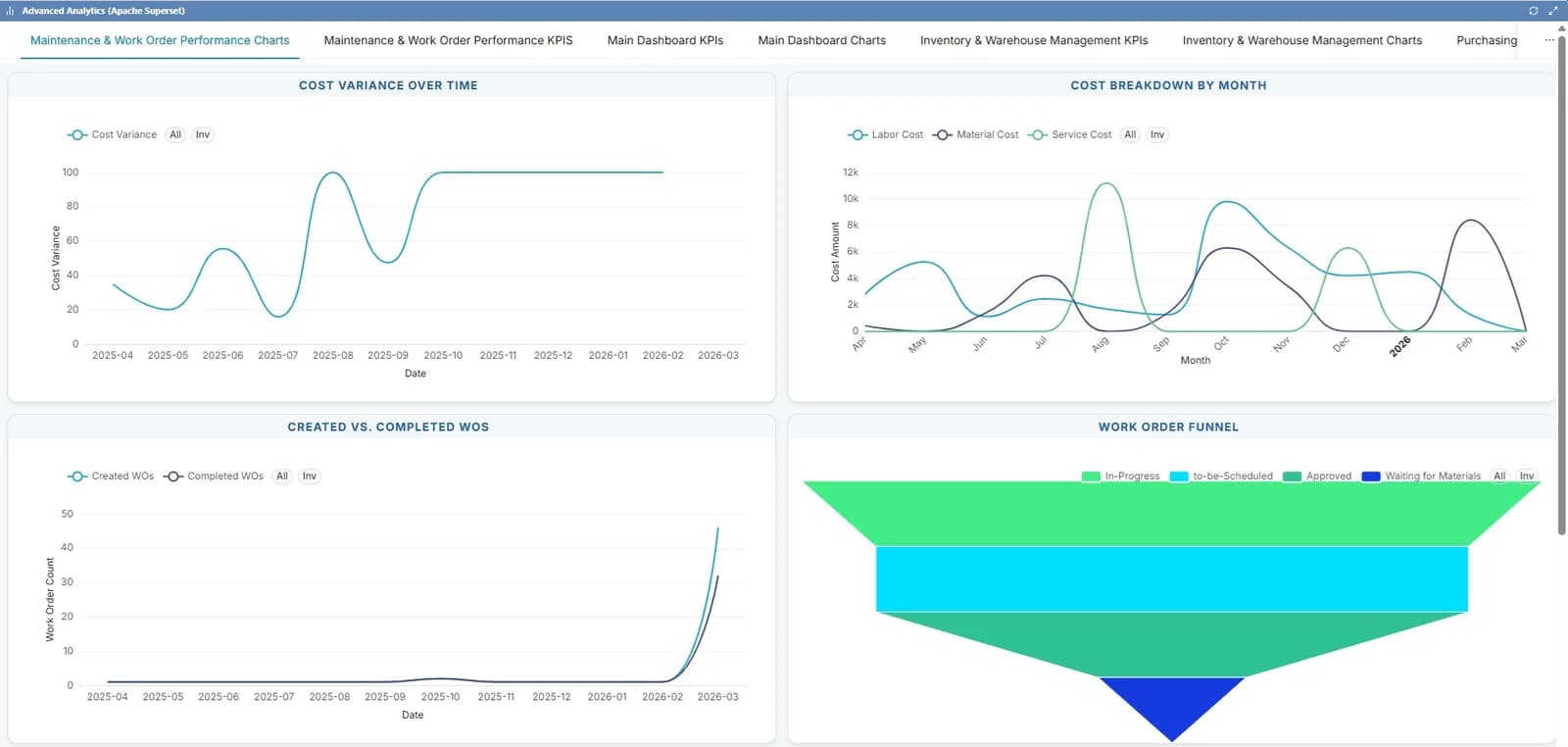
Cost by month, the assets with the highest maintenance spend, created versus completed work, top failure causes — the questions management asks are already answered.
- Maintenance, inventory and purchasing dashboards
- 45 standard reports, exported to PDF
- Filtered by organization and site
Arabic-first
Built for Arabic, not translated into it
Every screen works right-to-left, from forms and lookups to reports and the 3D viewer. Teams in different countries use the same system, each in its own language.
- 11 languages including Arabic and Urdu
- Right-to-left layouts throughout
- Language and font size set per user
Why Teknora
Why operations teams choose Teknora
Enterprise depth, without enterprise overhead
The asset, work and supply-chain depth large operators expect, configured to your organization by the team that builds it.
Your data stays yours
Run it in our cloud or on your own servers, on Oracle, SQL Server or PostgreSQL.
Moving from Maximo?
Our migration tool brings assets, locations, work history and inventory across, so you don't start from zero.
Direct access to the engineers
Support comes from the people who build the product — by ticket, email or WhatsApp.
Resources
Insights & resources
Guides, product walkthroughs and videos from the Teknora team.
Automation Scripts in TEKNORA EAM
Introduction TEKNORA Enterprise Asset Management (EAM) provides a powerful Automation Scripting module that allows organizations to extend system functionalities, automate complex workflows, and integrate with external s…
Read articleArticlesPredictive Maintenance in TEKNORA EAM
Introduction Predictive Maintenance (PdM) is an initiative-taking maintenance strategy that monitors equipment condition to predict when a functional failure might occur. This approach allows maintenance to be scheduled…
Read articleArticlesTeknora EAM Overview
Teknora EAM is a smart Enterprise Asset Management application designed to help organizations manage, monitor, maintain, and optimize their physical assets through one centralized digital platform. It provides a modern a…
Read articleVideos
See Teknora EAM with your own assets
A walkthrough tailored to your sites, your assets and your maintenance process.